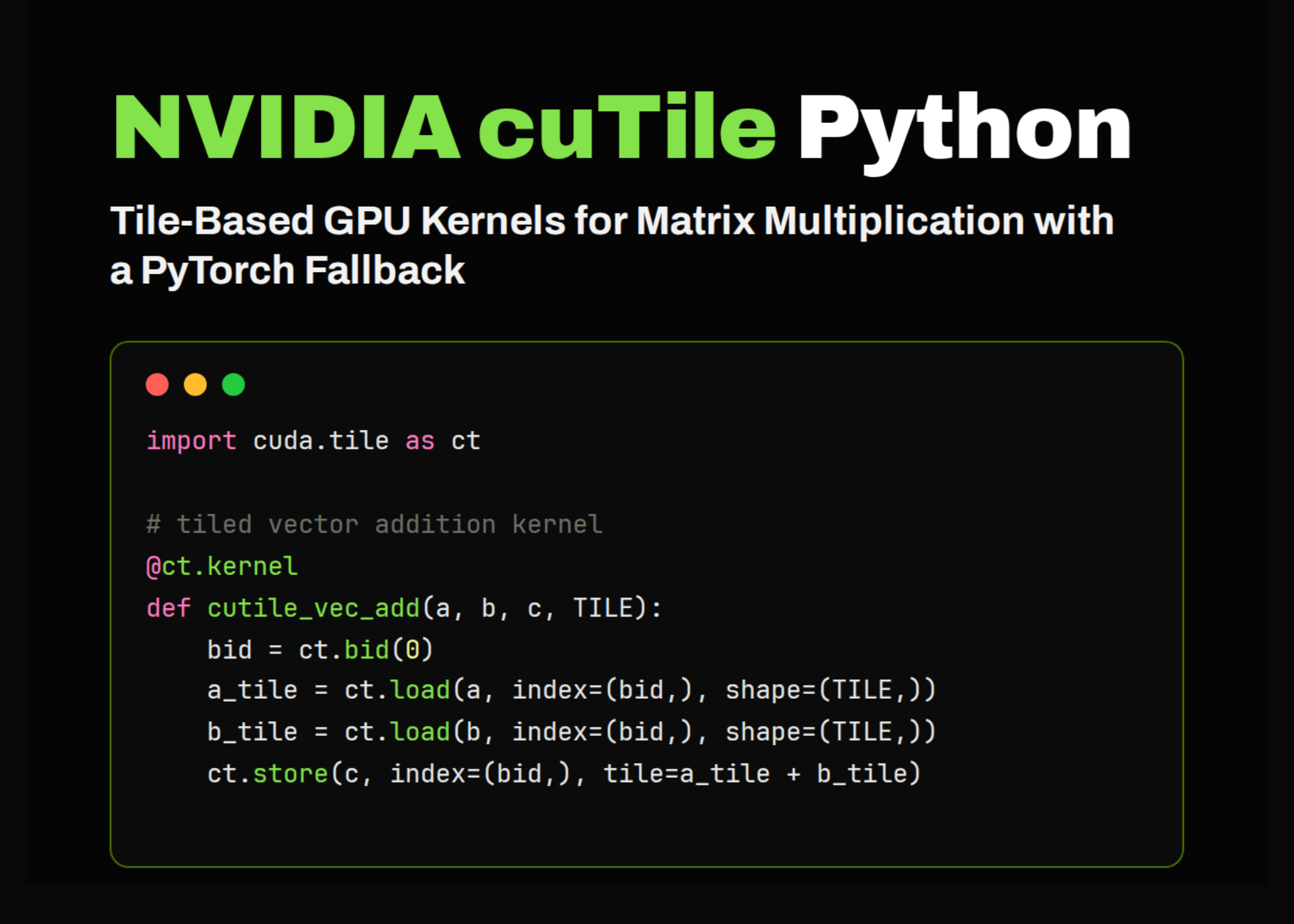
In this tutorial, we implement an advanced hands-on workflow for NVIDIA cuTile Python, a tile-based GPU programming interface for writing efficient CUDA-style kernels directly in Python. We start by preparing a Colab-friendly environment, checking the available GPU, driver, CUDA, and cuTile installations before running any kernel code. We then build tiled examples for vector addition, matrix addition, and matrix multiplication, while keeping a PyTorch fallback. Hence, the notebook remains executable even when Colab does not meet cuTile’s latest runtime requirements. Through this approach, we understand how tiled programming works, how tensors are loaded, computed, stored, and validated, and how custom GPU kernels can be compared against standard PyTorch operations.
Setting Up NVIDIA cuTile Python and Checking GPU, CUDA, and Driver Runtime in Colab
import os
import sys
import math
import time
import json
import shutil
import subprocess
import textwrap
import warnings
warnings.filterwarnings("ignore")
def run_cmd(cmd, check=False, capture=True):
   print(f"n$ {cmd}")
   result = subprocess.run(
       cmd,
       shell=True,
       text=True,
       capture_output=capture
   )
   if capture:
       if result.stdout.strip():
           print(result.stdout.strip())
       if result.stderr.strip():
           print(result.stderr.strip())
   if check and result.returncode != 0:
       raise RuntimeError(f"Command failed: {cmd}")
   return result
print("=" * 90)
print("cuTile Python Advanced Colab Tutorial")
print("=" * 90)
print("n[1] Installing Python dependencies")
run_cmd(f"{sys.executable} -m pip install -q -U pip setuptools wheel", check=False)
run_cmd(f"{sys.executable} -m pip install -q -U torch numpy pandas matplotlib", check=False)
print("n[2] Trying to install cuTile Python")
print("Package name on PyPI: cuda-tile[tileiras]")
install_result = run_cmd(
   f'{sys.executable} -m pip install -q -U "cuda-tile[tileiras]"',
   check=False
)
print("n[3] Runtime and GPU diagnostics")
run_cmd("python --version", check=False)
run_cmd("nvidia-smi", check=False)
try:
   import torch
   import numpy as np
   import pandas as pd
   import matplotlib.pyplot as plt
except Exception as e:
   raise RuntimeError(f"Core dependency import failed: {e}")
cuda_available = torch.cuda.is_available()
print(f"nPyTorch CUDA available: {cuda_available}")
if cuda_available:
   device_name = torch.cuda.get_device_name(0)
   capability = torch.cuda.get_device_capability(0)
   print(f"GPU: {device_name}")
   print(f"Compute capability: sm_{capability[0]}{capability[1]}")
else:
   print("No CUDA GPU detected. Colab: Runtime -> Change runtime type -> GPU")
def parse_driver_major():
   try:
       out = subprocess.check_output(
           "nvidia-smi --query-gpu=driver_version --format=csv,noheader",
           shell=True,
           text=True
       ).strip().splitlines()[0]
       return int(out.split(".")[0]), out
   except Exception:
       return None, None
driver_major, driver_full = parse_driver_major()
print(f"NVIDIA driver version: {driver_full}")
ct = None
cutile_import_ok = False
try:
   import cuda.tile as ct
   cutile_import_ok = True
   print("cuda.tile import: OK")
except Exception as e:
   print("cuda.tile import: FAILED")
   print(str(e))
likely_runtime_ok = (
   cuda_available
   and cutile_import_ok
   and driver_major is not None
   and driver_major >= 580
)
if likely_runtime_ok:
   print("ncuTile path is enabled.")
else:
   print("ncuTile path is not enabled in this runtime.")
   print("The tutorial will still run using a PyTorch fallback.")
   print("For real cuTile execution, use a runtime with NVIDIA Driver R580+ and CUDA Toolkit 13.1+.")
DEVICE = "cuda" if cuda_available else "cpu"
We prepare the Colab environment by installing the required Python packages and attempting to install cuTile Python. We then inspect the available runtime by checking Python, GPU, CUDA, and NVIDIA driver availability. We also decide whether the notebook can use the real cuTile backend or should continue with the PyTorch fallback.
Building Timing, Correctness, and Benchmark Reporting Utilities for cuTile Kernels
print("n" + "=" * 90)
print("[4] Utilities: timing, correctness checks, and compact reporting")
print("=" * 90)
def sync():
   if torch.cuda.is_available():
       torch.cuda.synchronize()
def benchmark(fn, warmup=5, repeat=20, label="function"):
   for _ in range(warmup):
       fn()
   sync()
   times = []
   for _ in range(repeat):
       start = time.perf_counter()
       out = fn()
       sync()
       end = time.perf_counter()
       times.append((end - start) * 1000)
   return {
       "label": label,
       "mean_ms": float(np.mean(times)),
       "median_ms": float(np.median(times)),
       "min_ms": float(np.min(times)),
       "max_ms": float(np.max(times)),
   }
def show_result_table(rows, title):
   df = pd.DataFrame(rows)
   print("n" + title)
   print(df.to_string(index=False))
   return df
def assert_close(name, actual, expected, atol=1e-4, rtol=1e-4):
   torch.testing.assert_close(actual, expected, atol=atol, rtol=rtol)
   print(f"{name}: correctness check passed")
We define helper functions that make the tutorial easier to run, test, and benchmark. We synchronize GPU execution, measure runtime across multiple repeats, and organize benchmark results into readable tables. We also add a correctness-checking function to compare each custom operation against the expected PyTorch output.
Defining Tiled cuTile Kernels for Vector Addition, Matrix Addition, and Matrix Multiplication
print("n" + "=" * 90)
print("[5] cuTile kernels are defined only if cuda.tile imports successfully")
print("=" * 90)
if cutile_import_ok:
   ConstInt = ct.Constant[int]
   @ct.kernel
   def cutile_vec_add_direct_kernel(a, b, c, TILE: ConstInt):
       bid = ct.bid(0)
       a_tile = ct.load(a, index=(bid,), shape=(TILE,))
       b_tile = ct.load(b, index=(bid,), shape=(TILE,))
       c_tile = a_tile + b_tile
       ct.store(c, index=(bid,), tile=c_tile)
   @ct.kernel
   def cutile_vec_add_gather_kernel(a, b, c, TILE: ConstInt):
       bid = ct.bid(0)
       offsets = bid * TILE + ct.arange(TILE, dtype=torch.int32)
       a_tile = ct.gather(a, offsets)
       b_tile = ct.gather(b, offsets)
       c_tile = a_tile + b_tile
       ct.scatter(c, offsets, c_tile)
   @ct.kernel
   def cutile_matrix_add_gather_kernel(a, b, c, TILE_M: ConstInt, TILE_N: ConstInt):
       bid_m = ct.bid(0)
       bid_n = ct.bid(1)
       rows = bid_m * TILE_M + ct.arange(TILE_M, dtype=torch.int32)
       cols = bid_n * TILE_N + ct.arange(TILE_N, dtype=torch.int32)
       rows = rows[:, None]
       cols = cols[None, :]
       a_tile = ct.gather(a, (rows, cols))
       b_tile = ct.gather(b, (rows, cols))
       c_tile = a_tile + b_tile
       ct.scatter(c, (rows, cols), c_tile)
   @ct.kernel
   def cutile_matmul_kernel(A, B, C, TM: ConstInt, TN: ConstInt, TK: ConstInt):
       bid_m = ct.bid(0)
       bid_n = ct.bid(1)
       num_tiles_k = ct.num_tiles(A, axis=1, shape=(TM, TK))
       acc = ct.full((TM, TN), 0, dtype=ct.float32)
       zero_pad = ct.PaddingMode.ZERO
       compute_dtype = ct.tfloat32 if A.dtype == ct.float32 else A.dtype
       for k in range(num_tiles_k):
           a_tile = ct.load(
               A,
               index=(bid_m, k),
               shape=(TM, TK),
               padding_mode=zero_pad
           ).astype(compute_dtype)
           b_tile = ct.load(
               B,
               index=(k, bid_n),
               shape=(TK, TN),
               padding_mode=zero_pad
           ).astype(compute_dtype)
           acc = ct.mma(a_tile, b_tile, acc)
       out = ct.astype(acc, C.dtype)
       ct.store(C, index=(bid_m, bid_n), tile=out)
else:
   print("Skipping cuTile kernel definitions because cuda.tile is unavailable.")
print("n" + "=" * 90)
print("[6] High-level wrappers")
print("=" * 90)
def vec_add_tutorial(a, b, use_gather=True):
   if a.shape != b.shape:
   if likely_runtime_ok and a.is_cuda:
       c = torch.empty_like(a)
       TILE = 256 if use_gather else min(1024, 2 ** math.ceil(math.log2(a.numel())))
       grid = (math.ceil(a.numel() / TILE), 1, 1)
       kernel = cutile_vec_add_gather_kernel if use_gather else cutile_vec_add_direct_kernel
       ct.launch(torch.cuda.current_stream(), grid, kernel, (a, b, c, TILE))
       return c
   return a + b
def matrix_add_tutorial(a, b):
   if a.shape != b.shape:
   if likely_runtime_ok and a.is_cuda:
       c = torch.empty_like(a)
       TILE_M = 16
       TILE_N = 64
       grid = (math.ceil(a.shape[0] / TILE_M), math.ceil(a.shape[1] / TILE_N), 1)
       ct.launch(
           torch.cuda.current_stream(),
           grid,
           cutile_matrix_add_gather_kernel,
           (a, b, c, TILE_M, TILE_N)
       )
       return c
   return a + b
def matmul_tutorial(A, B):
   if A.shape[1] != B.shape[0]:
       raise ValueError("A.shape[1] must equal B.shape[0]")
   if likely_runtime_ok and A.is_cuda:
       if A.dtype in (torch.float16, torch.bfloat16):
           TM, TN, TK = 128, 128, 64
       else:
           TM, TN, TK = 32, 32, 32
       C = torch.empty((A.shape[0], B.shape[1]), device=A.device, dtype=A.dtype)
       grid = (math.ceil(A.shape[0] / TM), math.ceil(B.shape[1] / TN), 1)
       ct.launch(
           torch.cuda.current_stream(),
           grid,
           cutile_matmul_kernel,
           (A, B, C, TM, TN, TK)
       )
       return C
   return A @ B
print("Wrappers ready.")
print(f"Execution backend: {'cuTile' if likely_runtime_ok else 'PyTorch fallback'}")
We define the main cuTile kernels for vector addition, matrix addition, and matrix multiplication when cuda.tile is available. We use tiled load, store, gather, scatter, and matrix-multiply operations to illustrate how GPU computation is structured in cuTile. We then wrap these kernels inside Python functions that automatically fall back to PyTorch when the current runtime does not support cuTile.
Running Tiled Examples and Validating float32 and float16 Matmul Against PyTorch
print("n" + "=" * 90)
print("[7] Example 1: tiled vector addition")
print("=" * 90)
torch.manual_seed(42)
N = 1_000_003
a = torch.randn(N, device=DEVICE, dtype=torch.float32)
b = torch.randn(N, device=DEVICE, dtype=torch.float32)
c = vec_add_tutorial(a, b, use_gather=True)
expected = a + b
assert_close("Vector addition", c, expected)
print(f"Input shape: {tuple(a.shape)}")
print(f"Output shape: {tuple(c.shape)}")
print(f"First five output values: {c[:5].detach().cpu().numpy()}")
print("n" + "=" * 90)
print("[8] Example 2: tiled matrix addition with boundary-safe gather/scatter")
print("=" * 90)
M, N = 777, 1001
A = torch.randn(M, N, device=DEVICE, dtype=torch.float32)
B = torch.randn(M, N, device=DEVICE, dtype=torch.float32)
C = matrix_add_tutorial(A, B)
expected = A + B
assert_close("Matrix addition", C, expected)
print(f"A shape: {tuple(A.shape)}")
print(f"B shape: {tuple(B.shape)}")
print(f"C shape: {tuple(C.shape)}")
print("n" + "=" * 90)
print("[9] Example 3: tiled matrix multiplication")
print("=" * 90)
M, K, N = 512, 768, 384
A32 = torch.randn(M, K, device=DEVICE, dtype=torch.float32)
B32 = torch.randn(K, N, device=DEVICE, dtype=torch.float32)
if DEVICE == "cuda":
   torch.set_float32_matmul_precision("high")
C32 = matmul_tutorial(A32, B32)
expected32 = A32 @ B32
if DEVICE == "cuda":
   atol, rtol = 1e-2, 1e-2
else:
   atol, rtol = 1e-4, 1e-4
assert_close("Float32 matmul", C32, expected32, atol=atol, rtol=rtol)
print(f"A32 shape: {tuple(A32.shape)}")
print(f"B32 shape: {tuple(B32.shape)}")
print(f"C32 shape: {tuple(C32.shape)}")
print("n" + "=" * 90)
print("[10] Example 4: half precision matmul")
print("=" * 90)
if DEVICE == "cuda":
   A16 = torch.randn(M, K, device=DEVICE, dtype=torch.float16)
   B16 = torch.randn(K, N, device=DEVICE, dtype=torch.float16)
   C16 = matmul_tutorial(A16, B16)
   expected16 = A16 @ B16
   assert_close("Float16 matmul", C16, expected16, atol=5e-2, rtol=5e-2)
   print(f"A16 shape: {tuple(A16.shape)}")
   print(f"B16 shape: {tuple(B16.shape)}")
   print(f"C16 shape: {tuple(C16.shape)}")
else:
   print("Skipping float16 GPU matmul because CUDA is unavailable.")
We run the actual examples for tiled vector addition, matrix addition, float32 matrix multiplication, and float16 matrix multiplication. We create random tensors, execute the tutorial functions, and compare the results with standard PyTorch operations. We also print tensor shapes and sample outputs to confirm that every stage behaves as expected.
Benchmarking cuTile Operations Against PyTorch and Visualizing Median Runtimes
print("n" + "=" * 90)
print("[11] Benchmarks")
print("=" * 90)
bench_rows = []
bench_rows.append(
   benchmark(
       lambda: vec_add_tutorial(a, b, use_gather=True),
       label=f"{'cuTile' if likely_runtime_ok else 'PyTorch'} vector add"
   )
)
bench_rows.append(
   benchmark(
       lambda: a + b,
       label="PyTorch vector add"
   )
)
bench_rows.append(
   benchmark(
       lambda: matrix_add_tutorial(A, B),
       label=f"{'cuTile' if likely_runtime_ok else 'PyTorch'} matrix add"
   )
)
bench_rows.append(
   benchmark(
       lambda: A + B,
       label="PyTorch matrix add"
   )
)
bench_rows.append(
   benchmark(
       lambda: matmul_tutorial(A32, B32),
       label=f"{'cuTile' if likely_runtime_ok else 'PyTorch'} fp32 matmul"
   )
)
bench_rows.append(
   benchmark(
       lambda: A32 @ B32,
       label="PyTorch fp32 matmul"
   )
)
bench_df = show_result_table(bench_rows, "Benchmark summary in milliseconds")
print("n" + "=" * 90)
print("[12] Simple benchmark visualization")
print("=" * 90)
try:
   plt.figure(figsize=(10, 5))
   plt.bar(bench_df["label"], bench_df["median_ms"])
   plt.xticks(rotation=35, ha="right")
   plt.ylabel("Median time in ms")
   plt.title("cuTile tutorial benchmark comparison")
   plt.tight_layout()
   plt.show()
except Exception as e:
   print(f"Plot skipped: {e}")
print("n" + "=" * 90)
print("[13] What to change next")
print("=" * 90)
next_steps = [
   {
       "experiment": "Tile size sweep",
       "what_to_change": "Change TILE, TILE_M, TILE_N, TM, TN, and TK",
       "why_it_matters": "Tile shape controls memory access, occupancy, and Tensor Core usage"
   },
   {
       "experiment": "Non-multiple dimensions",
       "what_to_change": "Use dimensions like 1003 x 771",
       "why_it_matters": "Tests padding, gather/scatter, and boundary behavior"
   },
   {
       "experiment": "Precision comparison",
       "what_to_change": "Compare float32, float16, and bfloat16",
       "why_it_matters": "Tensor Core paths are strongest for reduced precision"
   },
   {
       "experiment": "Operation fusion",
       "what_to_change": "Extend vector add to compute c = relu(a + b)",
       "why_it_matters": "Fusion reduces memory traffic and is a common GPU-kernel optimization"
   },
   {
       "experiment": "Attention kernel study",
       "what_to_change": "Study the repo's AttentionFMHA.py sample",
       "why_it_matters": "Attention shows why tiled kernels matter for transformer workloads"
   }
]
next_df = pd.DataFrame(next_steps)
print(next_df.to_string(index=False))
print("n" + "=" * 90)
print("Tutorial completed.")
print("=" * 90)
if likely_runtime_ok:
   print("Real cuTile kernels were used.")
else:
   print("This runtime used the PyTorch fallback.")
   print("To run real cuTile kernels, use a GPU machine with NVIDIA Driver R580+ and CUDA Toolkit 13.1+.")
We benchmark the tutorial operations and compare their median runtimes with those of equivalent PyTorch operations. We then visualize the benchmark results using a simple bar chart to make the performance comparison easier to understand. Finally, we list practical next experiments, such as tile-size tuning, precision comparison, operation fusion, and the study of advanced cuTile samples like attention.
Conclusion
In conclusion, we have a complete cuTile Python workflow that covers environment setup, kernel definition, execution, validation, and benchmarking. We implemented direct tile operations, gather/scatter-based indexing, and tiled matrix multiplication, and verified correctness against PyTorch outputs at every stage. The fallback path keeps the tutorial practical for Colab users, while the cuTile path shows how the same structure can run on a compatible NVIDIA GPU environment. It gives us a starting point for experimenting with tile sizes, precision formats, fused operations, and more advanced GPU workloads such as attention, layer normalization, and custom deep learning kernels.
Check out the Full Codes with Notebook here. Also, feel free to follow us on Twitter and don’t forget to join our 150k+ ML SubReddit and Subscribe to our Newsletter. Wait! are you on telegram? now you can join us on telegram as well.
Need to partner with us for promoting your GitHub Repo OR Hugging Face Page OR Product Release OR Webinar etc.? Connect with us
The post NVIDIA cuTile Python Tutorial: Building Tiled GPU Kernels for Vector Addition, Matrix Addition, and Matrix Multiplication in Colab appeared first on MarkTechPost.