
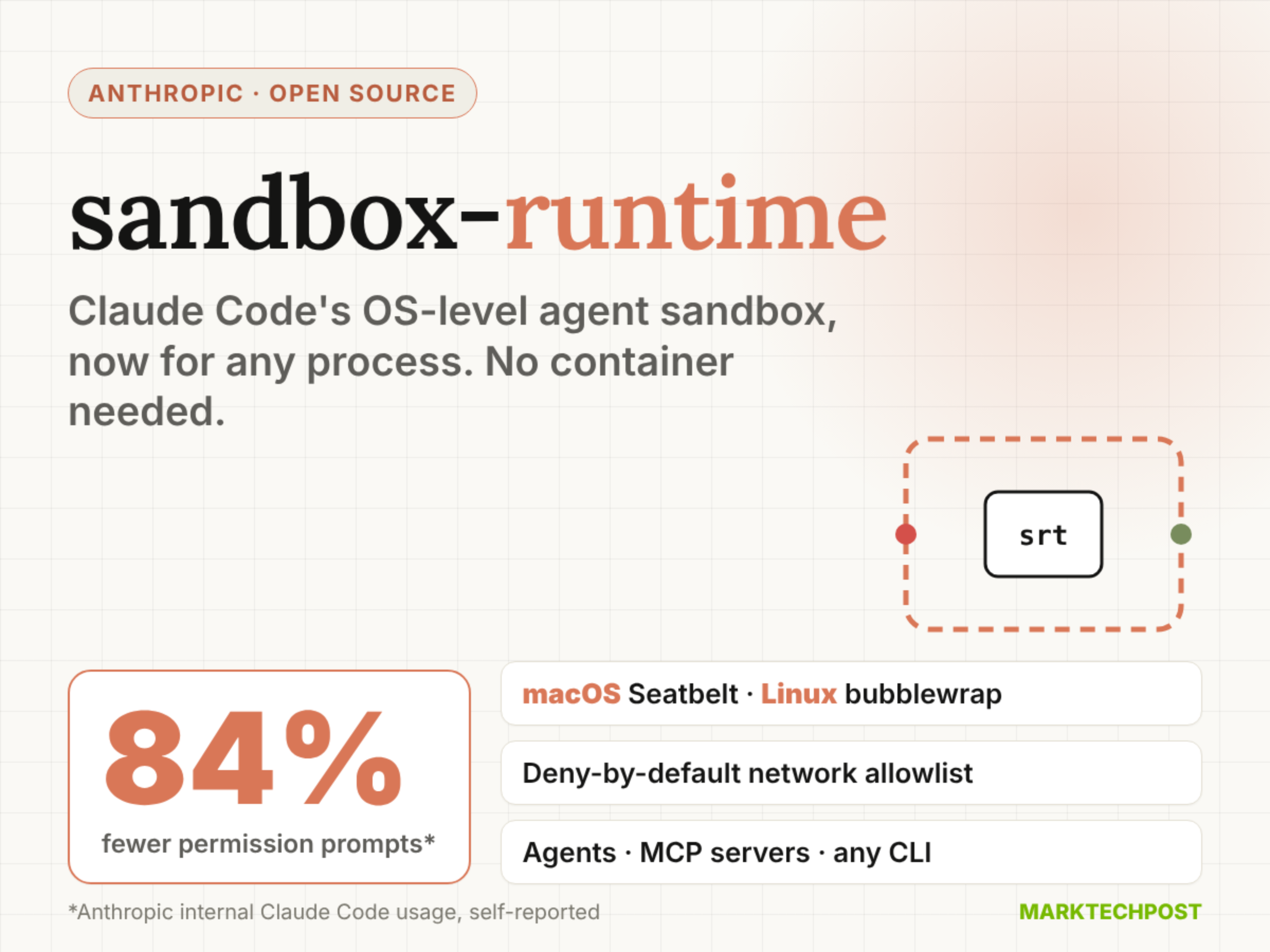
In this article, we will discuss newly trending open sourced Anthropic’s sandbox-runtime (srt), the OS-level sandbox behind Claude Code’s sandboxed bash tool. The Anthropic sandbox-runtime limits which files a process can touch and which hosts it can reach. It does this without spinning up a container. It is also not tied to Claude Code. Your own agents, local MCP servers and plain command-line programs can run inside it.
TL;DR
- Size: npm package
@anthropic-ai/sandbox-runtimev0.0.81, about 11.4 MB unpacked, Apache-2.0, Node.js 22.12+. - Runs on: any macOS or Linux dev machine or CI box. macOS uses Seatbelt; Linux needs bubblewrap, socat and ripgrep. Windows is alpha.
- Performance: sandboxing cut Claude Code permission prompts by 84% in Anthropic’s internal usage (self-reported).
- Best: 84% fewer permission prompts, with file and network limits enforced on the whole process tree.
- Worst: still a beta research preview, Windows support is alpha.
What is Anthropic sandbox-runtime?
Anthropic sandbox-runtime is an open-source tool that wraps any process in filesystem and network restrictions. You install it with npm install -g @anthropic-ai/sandbox-runtime, then prefix a command with srt. It works as a CLI and as a TypeScript library.
How does sandbox-runtime work on macOS, Linux and Windows?
srt uses each operating system’s own isolation primitives. Its restrictions cover the entire process tree, including scripts and subprocesses.
- macOS:
sandbox-execwith dynamically generated Seatbelt profiles. Only ripgrep is required. - Linux: bubblewrap with the network namespace removed. It also needs socat and ripgrep.
- Windows (alpha): a dedicated
srt-sandboxaccount, a Windows Filtering Platform egress fence and explicit file ACLs.
Traffic leaves only through HTTP and SOCKS5 proxies running on the host. On Linux, those proxies sit behind Unix sockets bind-mounted into the sandbox. On macOS, the Seatbelt profile allows only one localhost port. The proxies then apply your domain allowlist and denylist.
Why does it need both filesystem and network isolation?
Anthropic team argues that 1 boundary without the other fails. Without network isolation, a prompt-injected agent could exfiltrate SSH keys. Without filesystem isolation, it could escape the sandbox and gain network access.
srt’s defaults follow that logic. Reads are allowed everywhere unless denied. Writes are denied everywhere unless allowed. Network access is denied unless a domain is allowlisted.
How do you sandbox an MCP server or your own agent?
For an MCP server, change the command in .mcp.json from npx to srt. Pass the original command as arguments. Rules then live in ~/.srt-settings.json:
{
  "network": { "allowedDomains": ["api.github.com", "*.npmjs.org"], "deniedDomains": [] },
  "filesystem": { "denyRead": ["~/.ssh"], "allowWrite": ["."], "denyWrite": [".env"] }
}
For your own agent, the library exposes SandboxManager. Call initialize(config) to start the proxies. Then wrapWithSandbox() returns a wrapped command string you can spawn.
What does the 84% figure mean?
Anthropic reports that sandboxing reduced permission prompts by 84% in internal Claude Code usage. That is a self-reported number, not an external benchmark. The target is approval fatigue. Developers who click “approve” all day stop reading what they approve. A fixed boundary lets the agent work freely inside it and ask only at the edge.
<button class=”btn pri” id=”fnext”>Next step
 </button>
<button class=”btn” id=”fplay”>Auto-play</button>
</div>
</div>
<div class=”pane” id=”p-sim”>
<div class=”sim”>
<div>
<div class=”card”>
<h5>network.allowedDomains</h5>
<label class=”chk”><input type=”checkbox” id=”d-anth” checked> anthropic.com</label>
<label class=”chk”><input type=”checkbox” id=”d-npm”> *.npmjs.org</label>
<label class=”chk”><input type=”checkbox” id=”d-gh”> github.com</label>
<h5 style=”margin-top:12px”>filesystem</h5>
<label class=”chk”><input type=”checkbox” id=”f-ssh” checked> denyRead: ~/.ssh</label>
<label class=”chk”><input type=”checkbox” id=”f-env” checked> denyWrite: .env</label>
</div>
</div>
<div>
<div class=”cmds” id=”cmds”>
<button class=”cmd” data-c=”0″>srt “cat README.md”</button>
<button class=”cmd” data-c=”1″>srt “cat ~/.ssh/id_rsa”</button>
<button class=”cmd” data-c=”2″>srt “curl anthropic.com”</button>
<button class=”cmd” data-c=”3″>srt “curl example.com”</button>
<button class=”cmd” data-c=”4″>srt “npm install”</button>
<button class=”cmd” data-c=”5″>srt “echo KEY=1 >> .env”</button>
</div>
<div class=”term” id=”term” style=”margin-top:10px”><span class=”dim”>Pick a command. Toggle the config to see what changes.</span></div>
<div class=”why” id=”why”></div>
</div>
</div>
</div>
<div class=”pane” id=”p-plat”>
<div class=”plat”>
<div class=”pc on” data-p=”0″><h4>macOS</h4><span class=”tag t-g”>Supported</span><ul><li>sandbox-exec</li><li>Seatbelt profiles</li><li>Needs ripgrep</li></ul></div>
<div class=”pc” data-p=”1″><h4>Linux</h4><span class=”tag t-g”>Supported</span><ul><li>bubblewrap</li><li>No network namespace</li><li>socat + ripgrep</li></ul></div>
<div class=”pc” data-p=”2″><h4>Windows</h4><span class=”tag t-o”>Alpha</span><ul><li>srt-sandbox account</li><li>WFP egress fence</li><li>One-time install</li></ul></div>
</div>
<div class=”desc pdetail” id=”pdesc”></div>
</div>
<div class=”pane” id=”p-defs”>
<div class=”defs”>
<div class=”dc”><div class=”kicker”>Read</div><div class=”big” style=”color:#b5cc94″>Allow</div><p>Allowed everywhere by default. Deny regions like ~/.ssh, re-allow with allowRead.</p></div>
<div class=”dc”><div class=”kicker”>Write</div><div class=”big” style=”color:#ef7a73″>Deny</div><p>Denied everywhere by default. Open paths like “.” and /tmp with allowWrite.</p></div>
<div class=”dc”><div class=”kicker”>Network</div><div class=”big” style=”color:#ef7a73″>Deny</div><p>No access by default. Every host must match allowedDomains.</p></div>
</div>
<div class=”bars” id=”bars”>
<div class=”kicker” style=”margin-bottom:4px”>Claude Code permission prompts (indexed)</div>
<div class=”bar”><div class=”lb”><span>Without sandboxing</span><span>100</span></div><div class=”bg”><div class=”fg” data-w=”100″ style=”background:var(–muted)”></div></div></div>
<div class=”bar”><div class=”lb”><span>With sandboxing</span><span>16</span></div><div class=”bg”><div class=”fg” data-w=”16″ style=”background:var(–orange)”></div></div></div>
<div class=”note”>84% fewer prompts in Anthropic’s internal usage (self-reported, Oct 2025 engineering post). Indexed to 100.</div>
</div>
</div>
<div class=”pane” id=”p-cmp”>
<div class=”tblwrap”>
<table>
<thead><tr><th></th><th>srt</th><th>Codex CLI</th><th>Docker Sandboxes</th><th>E2B</th></tr></thead>
<tbody>
<tr class=”row”><td>Isolation</td><td class=”hl”>OS primitives</td><td>OS primitives</td><td>microVM</td><td>Firecracker microVM</td></tr>
<tr class=”row”><td>Runs</td><td class=”hl”>Local</td><td>Local</td><td>Local</td><td>Cloud / BYOC</td></tr>
<tr class=”row”><td>Container or VM</td><td class=”hl”>No</td><td>No</td><td>Yes</td><td>Yes</td></tr>
<tr class=”row”><td>Network default</td><td class=”hl”>Deny all</td><td>Off (toggle)</td><td>Chosen policy</td><td>On</td></tr>
<tr class=”row”><td>Domain allowlist</td><td class=”hl”>Wildcards + ports</td><td>Not disclosed</td><td>Wildcards + ports</td><td>allowOut, wildcards</td></tr>
<tr class=”row”><td>License</td><td class=”hl”>Apache-2.0</td><td>Apache-2.0</td><td>Not disclosed</td><td>Apache-2.0 (SDK)</td></tr>
</tbody>
</table>
</div>
</div>
<div class=”ft”><span>Sources: github.com/anthropics/sandbox-runtime · anthropic.com/engineering · v0.0.81</span><span class=”mtp”>Built by Marktechpost</span></div>
</div>
<script>
(function(){
var R=document.getElementById(‘srt-x’);
function post(){try{parent.postMessage({srtH:R.offsetHeight+40},’*’)}catch(e){}}
var tabs=R.querySelectorAll(‘.tab’);
tabs.forEach(function(b){b.addEventListener(‘click’,function(){
tabs.forEach(function(x){x.classList.remove(‘on’)});b.classList.add(‘on’);
R.querySelectorAll(‘.pane’).forEach(function(p){p.classList.remove(‘on’)});
var t=b.getAttribute(‘data-t’);document.getElementById(‘p-‘+t).classList.add(‘on’);
if(t===’defs’)bars();if(t===’cmp’)rows();setTimeout(post,60);
})});
// flow
var steps=[
[‘Your agent runs a command’,’The agent, MCP server or CLI tool issues a command. It is unchanged; srt simply wraps it.’,0,’act’],
[‘srt builds the policy’,’srt loads ~/.srt-settings.json (or built-in defaults) and starts HTTP and SOCKS5 proxies on the host.’,1,’act’],
[‘The OS enforces the boundary’,’Seatbelt (macOS), bubblewrap (Linux) or a WFP fence (Windows alpha) applies file rules to the whole process tree.’,2,’act’],
[‘All traffic goes through the proxy’,’The sandbox has no direct route out. On Linux, the network namespace is removed; proxies are reached via Unix sockets.’,3,’act’],
[‘Allowed host: connection proceeds’,’A host in allowedDomains passes, after a check that it does not resolve to loopback or cloud metadata IPs.’,4,’ok’],
[‘Unknown host: blocked or asked’,’A denied or unlisted host is refused, or an ask callback decides. The violation is logged for the agent to read.’,4,’bad’]
];
var fi=0,timer=null;
function draw(){
var s=steps[fi];var ns=R.querySelectorAll(‘.node’);
ns.forEach(function(n,i){n.classList.remove(‘act’,’ok’,’bad’);if(i<s[2])n.classList.add(‘act’)});
ns[s[2]].classList.add(s[3]);
var pk=document.getElementById(‘pkt’);pk.style.left=(s[2]*22)+’%’;
pk.style.background=s[3]===’ok’?’#788c5d’:s[3]===’bad’?’#d4504a’:’#d97757′;
document.getElementById(‘fdesc’).innerHTML='<h4>Step ‘+(fi+1)+’ of ‘+steps.length+’: ‘+s[0]+'</h4>’+s[1];
}
document.getElementById(‘fnext’).onclick=function(){fi=(fi+1)%steps.length;draw()};
document.getElementById(‘fprev’).onclick=function(){fi=(fi-1+steps.length)%steps.length;draw()};
document.getElementById(‘fplay’).onclick=function(){
if(timer){clearInterval(timer);timer=null;this.textContent=’Auto-play’;return}
this.textContent=’Pause’;timer=setInterval(function(){fi=(fi+1)%steps.length;draw()},1800);
};
draw();
// sim
function on(id){return document.getElementById(id).checked}
var C=[
function(){return [1,’# Anthropic Sandbox Runtime (srt) …’,’Reads are allowed by default, and the current directory is readable.’]},
function(){return on(‘f-ssh’)?[0,’cat: ~/.ssh/id_rsa: Operation not permitted’,’~/.ssh is in denyRead, so the key cannot be read.’]:[1,’—–BEGIN OPENSSH PRIVATE KEY—– …’,’Without a denyRead rule, reads are open everywhere. Deny secrets explicitly.’]},
function(){return on(‘d-anth’)?[1,'<html>…</html>’,’anthropic.com is in allowedDomains, so the proxy forwards it.’]:[0,’Connection blocked by network allowlist’,’No allowlist match: network is deny-by-default.’]},
function(){return [0,’Connection blocked by network allowlist’,’example.com is not allowlisted.’]},
function(){return on(‘d-npm’)?[1,’packages installed (illustrative output)’,’*.npmjs.org is allowlisted, so the registry is reachable.’]:[0,’npm ERR! network request to registry.npmjs.org failednConnection blocked by network allowlist’,’The classic trade-off: too strict, and installs fail.’]},
function(){return on(‘f-env’)?[0,’bash: .env: Operation not permitted’,’denyWrite beats allowWrite, so .env stays protected inside the project.’]:[1,'(written)’,'”.” is in allowWrite, so the write succeeds.’]}
];
var busy=false;
R.querySelectorAll(‘.cmd’).forEach(function(b){b.addEventListener(‘click’,function(){
if(busy)return;busy=true;var r=C[+b.getAttribute(‘data-c’)]();var t=document.getElementById(‘term’);
t.innerHTML='<span class=”p”>$</span> ‘+b.textContent.replace(/</g,’<’)+’n<span class=”dim”>Running inside sandbox…</span>’;
document.getElementById(‘why’).textContent=”;
setTimeout(function(){
t.innerHTML='<span class=”p”>$</span> ‘+b.textContent.replace(/</g,’<’)+’n<span class=”‘+(r[0]?’ok’:’no’)+'”>’+(r[0]?’✓ ‘:’✗ ‘)+r[1].replace(/</g,’<’)+'</span>’;
document.getElementById(‘why’).textContent=r[2];busy=false;post();
},650);
})});
// platforms
var P=[‘macOS uses the built-in sandbox-exec tool with Seatbelt profiles generated per run. The profile allows only 1 localhost port, where the srt proxies listen. Violations can be read from the system log in real time.’,
‘Linux uses bubblewrap and removes the network namespace entirely. Proxies are reached through Unix sockets bind-mounted into the sandbox. Ubuntu 24.04+ needs an AppArmor change for user namespaces.’,
‘Windows (alpha) runs commands as a dedicated srt-sandbox account. A machine-wide WFP filter blocks its outbound traffic except to the proxy ports. Setup needs 1 elevated install.’];
var pcs=R.querySelectorAll(‘.pc’);
function pd(i){pcs.forEach(function(x){x.classList.remove(‘on’)});pcs[i].classList.add(‘on’);document.getElementById(‘pdesc’).innerHTML='<h4>’+pcs[i].querySelector(‘h4’).textContent+'</h4>’+P[i];post()}
pcs.forEach(function(c,i){c.addEventListener(‘click’,function(){pd(i)})});pd(0);
function bars(){R.querySelectorAll(‘.fg’).forEach(function(f){f.style.width=’0′;setTimeout(function(){f.style.width=f.getAttribute(‘data-w’)+’%’},80)})}
function rows(){R.querySelectorAll(‘tr.row’).forEach(function(r,i){r.classList.remove(‘in’);setTimeout(function(){r.classList.add(‘in’)},90*i+60)})}
window.addEventListener(‘load’,post);window.addEventListener(‘resize’,post);setTimeout(post,300);
})();
</script>
</body>
</html>
“>
The real trade-off: strict allowlists vs working agents
Coding agents do more than edit files. They install dependencies, pull docs and call APIs. Make the allowlist too strict and npm install fails. Make it too loose and the sandbox protects little. srt ships several knobs for that middle ground:
- Wildcards and ports: entries like
*.npmjs.orgorapi.example.com:443. - Ask callback: decides hosts no rule covers, and can return a reason the model reads.
- Per-command allow lists: open a registry for 1 invocation only.
- Live updates:
--control-fdswaps network lists while a command runs. - Resolved-address check: blocks allowed names that resolve to loopback or cloud metadata IPs.
- Denied-domain reasons: tell the agent the sanctioned alternative, such as an HTTPS git remote..
How does it compare with other agent sandboxes?
| Feature | Anthropic sandbox-runtime | OpenAI Codex CLI sandbox | Docker Sandboxes | E2B |
|---|---|---|---|---|
| Isolation | OS primitives: Seatbelt, bubblewrap, Windows account + WFP | OS primitives: Seatbelt, bubblewrap, native Windows sandbox | microVM per sandbox | Firecracker microVM per session |
| Where it runs | Local machine | Local machine | Local machine | Cloud or BYOC (AWS, GCP) |
| Container or VM needed | No | No | Yes (microVM) | Yes (managed microVM) |
| Use outside its own agent | Yes, CLI + library for any process | Built into Codex | Yes, sbx CLI for coding agents | Yes, JS and Python SDKs |
| Network default | Deny all; proxy allowlist | Off in workspace-write; config toggle |
Policy picked at first start (e.g. deny-all, balanced) | On by default; can be disabled |
| Domain allowlist | Yes, wildcards + ports | Not disclosed (on/off toggle documented) | Yes, wildcards + ports | Yes, allowOut with wildcards (SNI/Host based) |
| License | Apache-2.0 | Apache-2.0 | Not disclosed | Apache-2.0 (SDK) |
| Status | Beta research preview; Windows alpha | Ships in Codex CLI | Shipping product | Shipping product |
Key Takeaways
- srt sandboxes any process at the OS level, no container needed.
- Seatbelt on macOS, bubblewrap on Linux, Windows in alpha.
- Network is deny-by-default; every connection passes a host-side allowlist proxy.
- Anthropic reports 84% fewer Claude Code permission prompts (internal).
- Allowlist breadth is the real security dial; broad domains can leak data.
Check out the GitHub repo, the Anthropic engineering post and the Claude Code sandboxing docs. All credit goes to the researcher of this project. Also, feel free to follow us on Twitter and don’t forget to join our 150k+ML SubReddit and Subscribe to our Newsletter. Wait! are you on telegram? now you can join us on telegram as well.
Need to partner with us for promoting your GitHub Repo OR Hugging Face Page OR Product Release OR Webinar etc.? Connect with us
The post Meet Anthropic’s sandbox-runtime: OS-Level Sandboxing for AI Agents, No Containers appeared first on MarkTechPost.
