
Central Command Taught Me That Dashboards Are Really Trust Systems
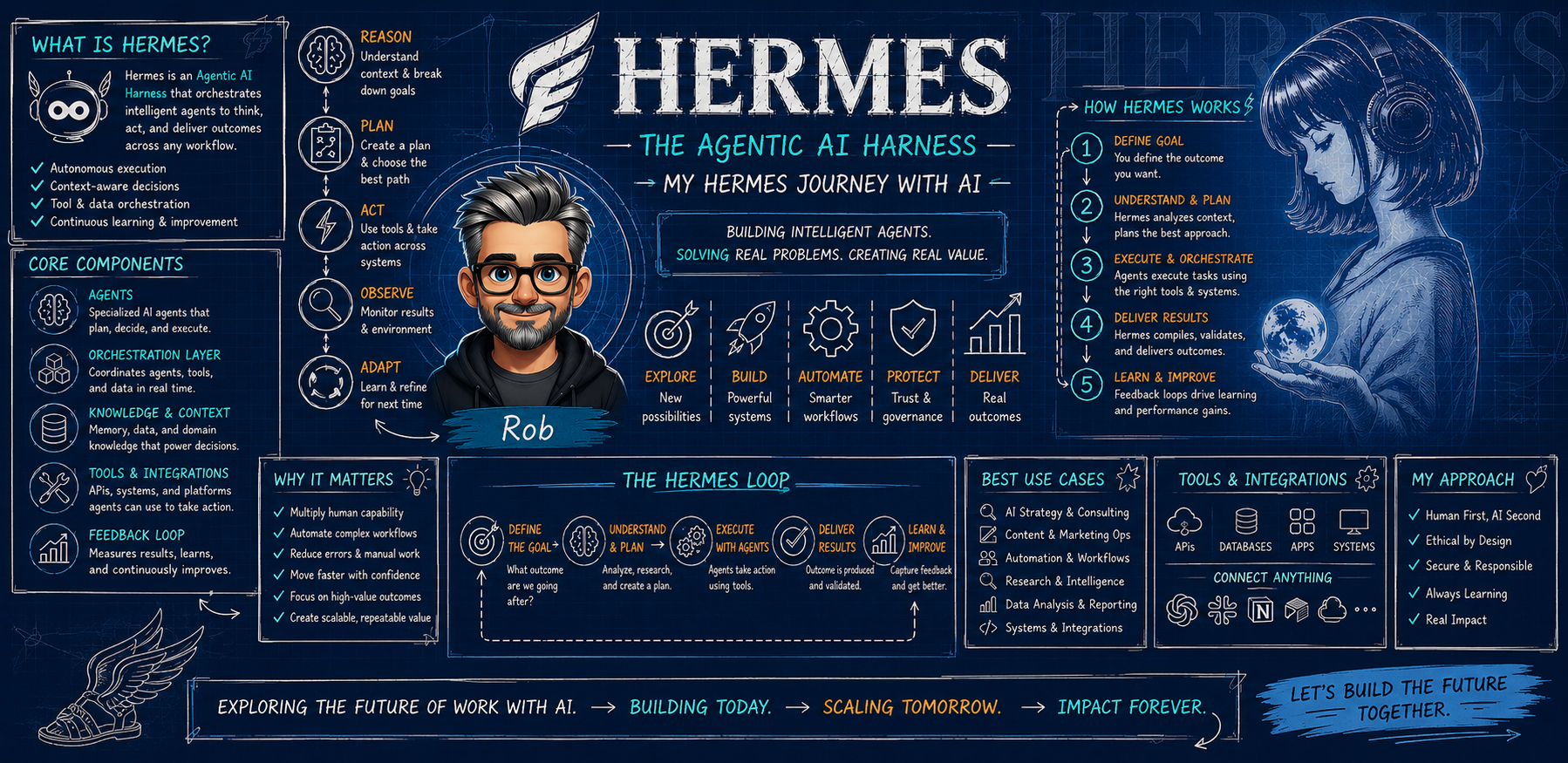
Sixth in the Hermes Journey series.
Summary: Central Command started as a way to see what Storm was doing. It became something more practical: a trust surface where transcripts, health checks, dashboards, and recovery signals made the AI system easier to manage.
Practical takeaway: A dashboard is valuable when it helps the human understand status, risk, and next action; otherwise it is just another screen.
One of the surprises in building Storm was how quickly I needed a place to see the system, not just talk to it.
At first, that sounds unnecessary. If an AI assistant can answer questions and take actions, why do I need a dashboard? Isn’t the chat window enough?
The answer, at least for me, was no. The chat window is where the conversation happens. It is not always where trust happens.
Central Command became my way of making the AI operations layer visible. It gave me a place to check local surfaces, see whether supporting services were healthy, connect to the Memory Wiki, review Plaud transcript history, and keep the most important operational signals from disappearing into scattered logs or separate tools. It is not glamorous. That is exactly why it matters.
Most AI demos hide the operational layer. You see the polished output, not the plumbing. You see the assistant answer, not the checks that made the answer safe. You see the final summary, not the failed fetch, stale listener, missing transcript, blocked permission, or recovery loop that happened behind it.
In real work, those details matter.
If I am going to trust an assistant with recurring workflows, client-adjacent drafts, meeting transcripts, reminders, blog operations, and system maintenance, I need more than a friendly response. I need to know what is running, what is stale, what is blocked, and what was actually verified. Central Command gives those signals a home.
The Plaud transcript history is a good example. I had recordings and manifests. The data existed. But the dashboard showed zeroes because the page was trying to read raw files that the local bridge correctly refused to expose. The security choice was right. The display behavior was wrong. The fix was not to expose the raw manifest. The fix was to create a sanitized read-only endpoint that gave the dashboard what it needed without leaking what it should not.
That small repair captures a much bigger principle. A useful AI system needs to make the right thing easy and the risky thing hard.
Without a dashboard, that kind of issue can look like “the AI forgot” or “the system is broken.” With a dashboard and a clear health check, it becomes something more specific: data source exists, unsafe raw endpoint blocked, sanitized endpoint missing, dashboard fallback rendered empty. That is a problem you can fix.
The same thing applies to local services. Central Command, the Hermes dashboard, the Memory Wiki, and transcript-related views all live as separate surfaces. After updates or restarts, one surface can be healthy while another is down. If I only ask the assistant “are you working?” I may get a true answer about the core agent and miss an adjunct service that matters for tomorrow’s work.
Central Command helps separate those truths. The agent can be alive. The dashboard can be stale. The wiki can be reachable. The transcript history can be fixed. The gateway can be running but fighting with another profile over a messaging token. Those are different facts, and a serious operating system should not blur them.
This is one of the places where small businesses can learn a lot from building an AI assistant, even if they never build anything as custom as my setup. The lesson is not “make a fancy dashboard.” The lesson is: decide what you need to see before you can trust the workflow.
For a sales process, that might be follow-ups due, drafts waiting for approval, and contacts that should not be touched automatically. For a content workflow, it might be posts in draft, images missing, claims needing review, and scheduled publish dates. For internal operations, it might be recurring tasks, failed automations, and the last successful backup.
The screen is not the point. The confidence is the point.
A dashboard becomes useful when it answers three questions quickly. What is healthy? What needs attention? What decision belongs to the human?
That last question is the most important. A bad dashboard tempts you to automate more because the buttons are there. A good dashboard reminds you where approval belongs. It gives the assistant enough visibility to help without pretending the assistant owns the business.
That is why I think of Central Command less as a control panel and more as a trust system. It does not make Storm smarter by itself. It makes the work around Storm more observable. It gives recovery a place to land. It gives me a way to notice when the system is telling the truth about one layer but not another.
In the AI world, people talk a lot about autonomy. I am more interested in observability. Before I hand more work to an assistant, I want to see how the work moves, where it can fail, and how it recovers.
That is what Central Command represents in my Hermes Journey. Not a dashboard for its own sake. A practical surface for a practical system, built around the simple idea that trust grows when the work becomes visible.
The other benefit is emotional, which may sound odd in a technical system. A visible status surface lowers anxiety. If I can see what is healthy and what is blocked, I am less tempted to either over-trust the system or abandon it. The dashboard becomes a calmer way to work with complexity instead of carrying every status in my head.
That matters for adoption because most people do not stop using AI after one bad answer. They stop using it after the fourth or fifth time it creates uncertainty they do not have time to resolve. A good operations surface reduces that uncertainty. It gives the human a short path from confusion to next action.
Follow the Hermes Journey
I am writing these field notes for consultants, owners, and team leaders who want practical AI adoption without pretending the messy parts do not exist. If you are building toward a real assistant, workflow, or approval system of your own, follow the series at the Hermes Journey page or reach out and let’s talk about what would actually fit the way you work.