
Organizations can face two critical challenges with conversational AI. First, users need answers where they work—in their CRM, support console, or analytics portal—not in separate tools. Second, implementing a secure embedded chat in their applications can require weeks of development to build authentication, token validation, domain security, and global distribution infrastructure.
Amazon Quick Suite embedded chat helps solve the first challenge by bringing conversational AI directly into your applications, so users can query structured data, search documents, and trigger actions without switching tools.
In this post, we show you how to solve the second challenge with a one-click deployment solution to embed the chat agents using the Quick Suite Embedding SDK in enterprise portals.
Solution overview
The solution deploys a secure web portal for the embedded chat using Amazon CloudFront for global content delivery, Amazon Cognito for OAuth 2.0 authentication, Amazon API Gateway for REST API endpoints, AWS Lambda for serverless API processing, and OpenID Connect (OIDC) federation for identity integration with the Quick Suite.
The solution implements defense-in-depth security with multiple layers of protection: DDoS protection on CloudFront, a private Amazon Simple Storage Service (Amazon S3) bucket with origin access control helping prevent direct access to frontend assets, AWS WAF rate limiting protection on API Gateway, and JSON Web Token (JWT) signature validation using Amazon Cognito public keys before generating time-limited user-specific embed URLs with least-privilege AWS Identity and Access Management (IAM) permissions.
The following diagram illustrates the solution architecture.
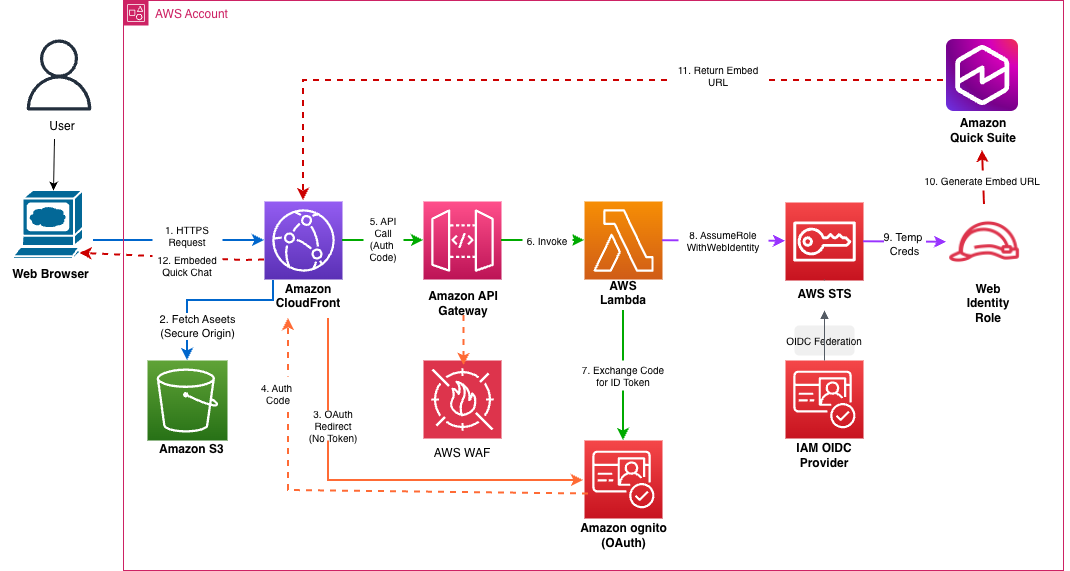
The workflow consists of the following steps:
- Users access the web portal URL, which routes to CloudFront.
- CloudFront uses origin access control to fetch HTML, CSS, and JavaScript files from a private S3 bucket.
- The web application checks for a valid authentication token and redirects unauthenticated users to the Amazon Cognito hosted UI for OAuth 2.0 login.
- Users enter credentials on the Amazon Cognito login page, which validates them and redirects back to the CloudFront URL with a single-use authorization code.
- The application extracts the authorization code and makes an HTTPS API call to API Gateway, which passes through AWS WAF rate limiting.
- API Gateway invokes a Lambda function with the authorization code.
- The Lambda function makes a server-to-server HTTPS call to the Amazon Cognito OAuth token endpoint, exchanging the authorization code for JWT tokens (ID token, access token, refresh token).
- The function validates the ID token’s cryptographic signature using Amazon Cognito public keys JSON Web Key Set (JWKS) with thread-safe caching.
The following is a decoded JWT example:
- The Lambda function calls the AWS Security Token Service (AWS STS) AssumeRoleWithWebIdentity API with the verified ID token to assume the IAM web identity role and receive temporary AWS credentials.
- The function uses the temporary credentials to call the Quick Suite ListUsers API to verify the user exists, then calls the GenerateEmbedUrlForRegisteredUser API to help generate a secure embedded URL with domain restrictions.
- The function returns the embed URL in a JSON response with cross-origin resource sharing (CORS) headers through API Gateway to CloudFront. The following is an embed URL example:
- The CloudFront application uses the Quick Suite Embedding SDK to create an embedding context and render the chat interface in an HTML iframe with secure cross-origin communication.
You can deploy the solution with the following high-level steps:
- Deploy the serverless infrastructure using the AWS Cloud Development Kit (AWS CDK).
- Provision users in Amazon Cognito and Quick Suite.
- Share the Quick Suite assets (chat agent and associated connections, knowledge base).
- Access the web portal to use Quick Suite chat agents.
Prerequisites
The following prerequisites are required to deploy the solution demonstrated in this post:
- An AWS account
- A Quick Suite subscription with the authentication method Password-based or Single-Sign On.
- The AWS CDK CLI
- The AWS SDK for Python (Boto3)
- An AWS CLI profile with appropriate permissions to deploy the solution, including list Quick Suite namespaces, create IAM roles and AWS resources including CloudFront distribution, S3 bucket, API Gateway REST API, AWS WAF web access control list, Lambda function, and Amazon Cognito user pool
- Node.js 20+
- jq 1.7+
- Docker Desktop running
Deploy serverless infrastructure using AWS CDK
Complete the following steps to deploy the serverless infrastructure using the AWS CDK:
- Clone the GitHub repository:
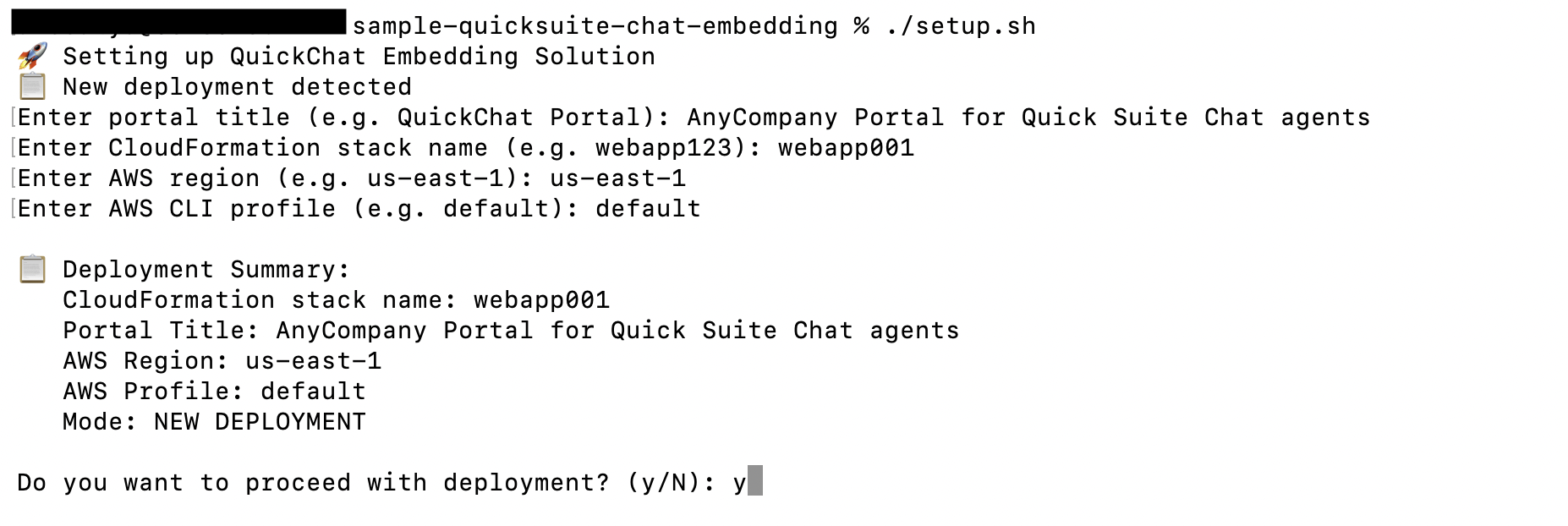
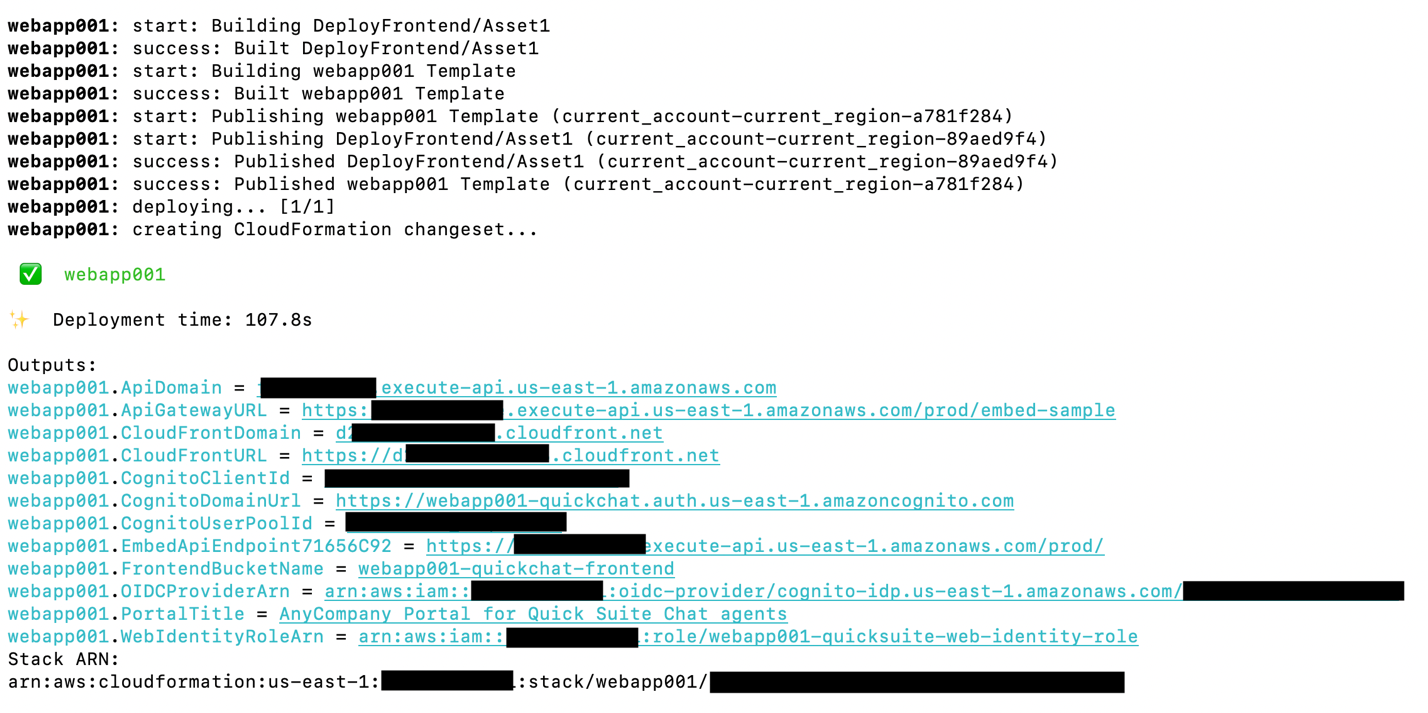
- Deploy the infrastructure:
You will be prompted to enter your AWS Region code, AWS CloudFormation stack ID and portal title, and your AWS CLI profile.

Provision users in Amazon Cognito and Quick Suite
Complete the following steps to provision users in Amazon Cognito and Quick Suite:
- Create an Amazon Cognito user in an Amazon Cognito user pool:

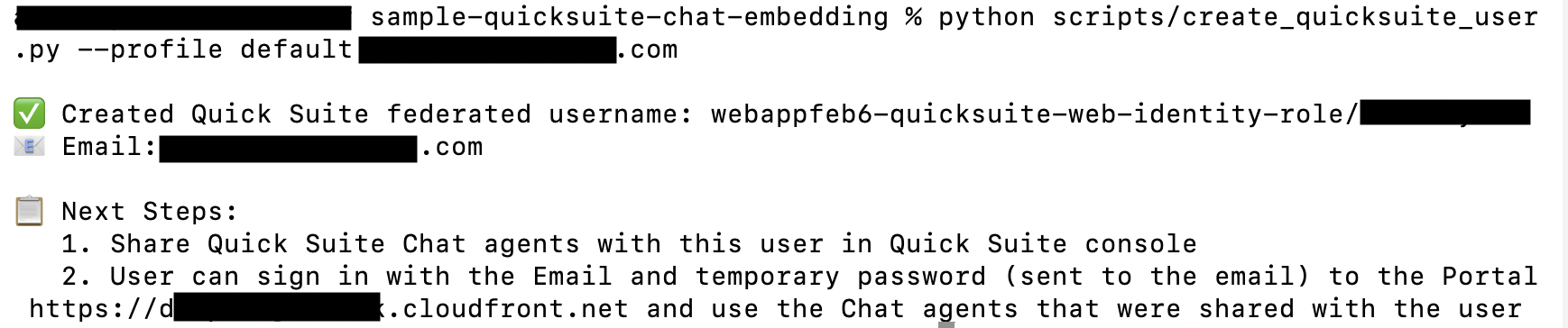
- Create a federated user in Quick Suite:
Share Quick Suite chat agent
Complete the following steps to share your Quick Suite chat agent:
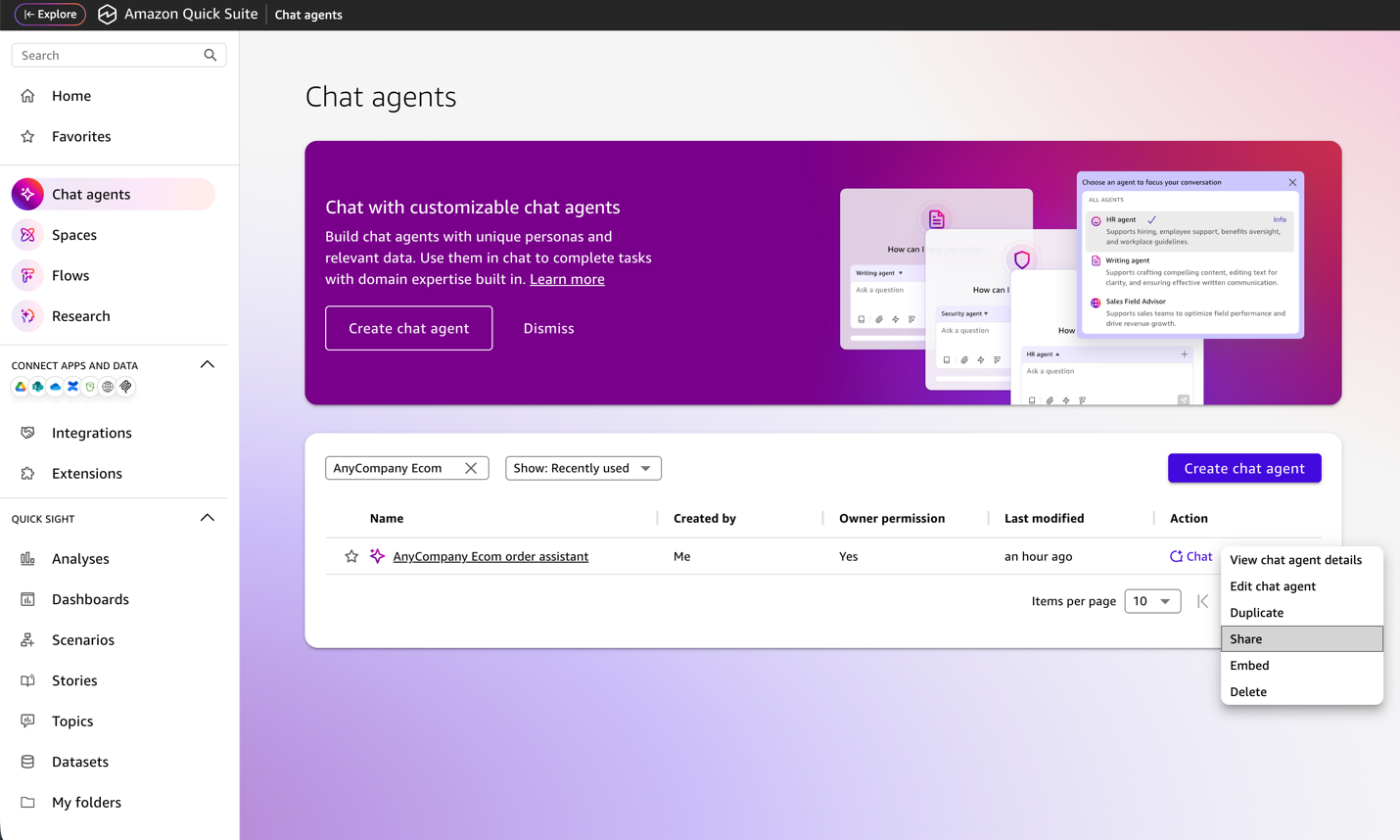
- Sign in to the Quick Suite console using credentials with the Quick Suite Author Pro role.
- Choose Chat agents in the navigation pane.
- Select the agents you want to share (for example, AnyCompany Ecom order assistant) and choose Share.
- Search for the user name (for example, user123@example.com) you created earlier.
- Choose Share.
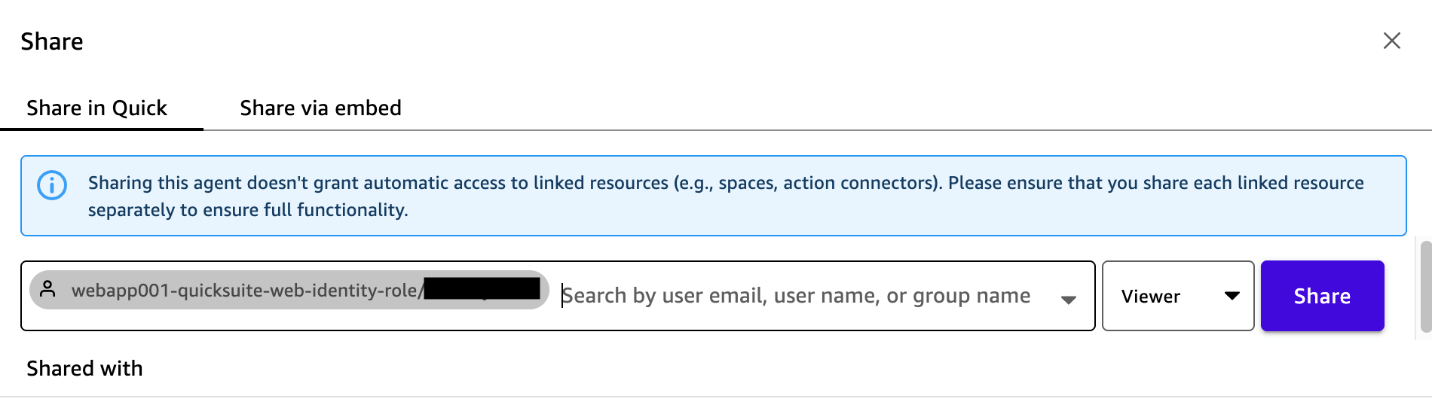

After sharing this agent, you also need to share each linked resource of the agent separately to confirm full functionality.
Access web portal to use the Quick Suite chat agents
Complete the following steps to access the web portal and start using the chat agents:
- Look for the temporary password in the Amazon Cognito verification email.
- Access the CloudFront URL from your web browser with the user ID and temporary password.
- You will be prompted to change your password at your first login.
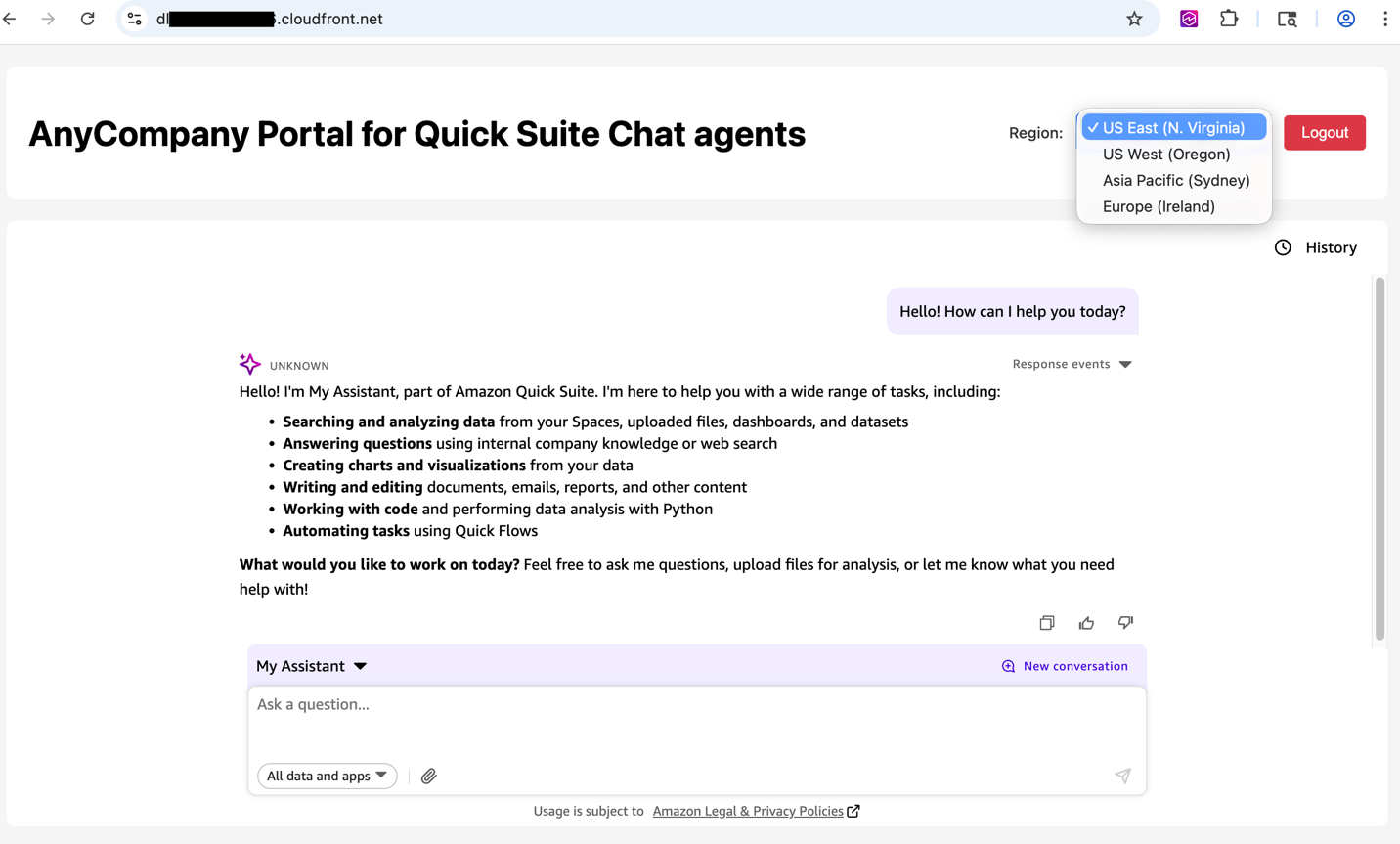
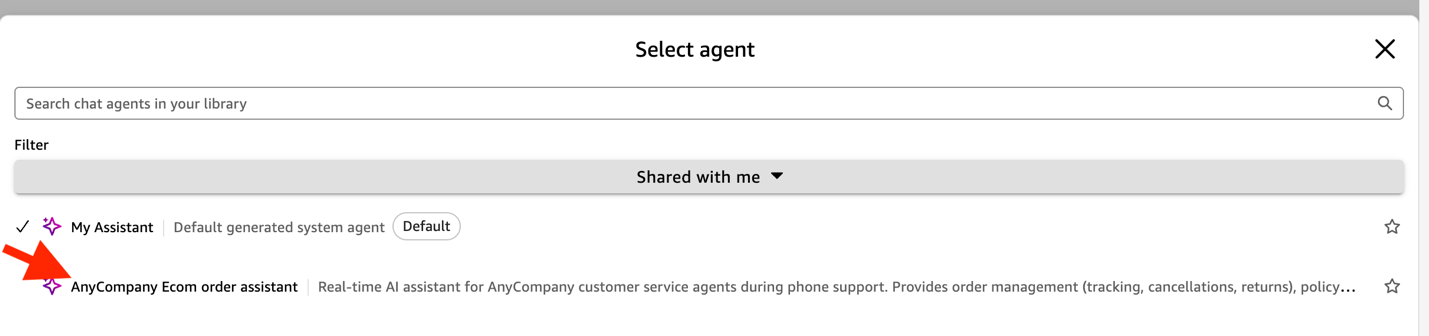
After the successful login, you can see My Assistant in the chat interface.
- Choose the Region to connect to the custom Quick Suite chat agents.
- To see the chat agents shared with you, choose Shared with me under Filter.
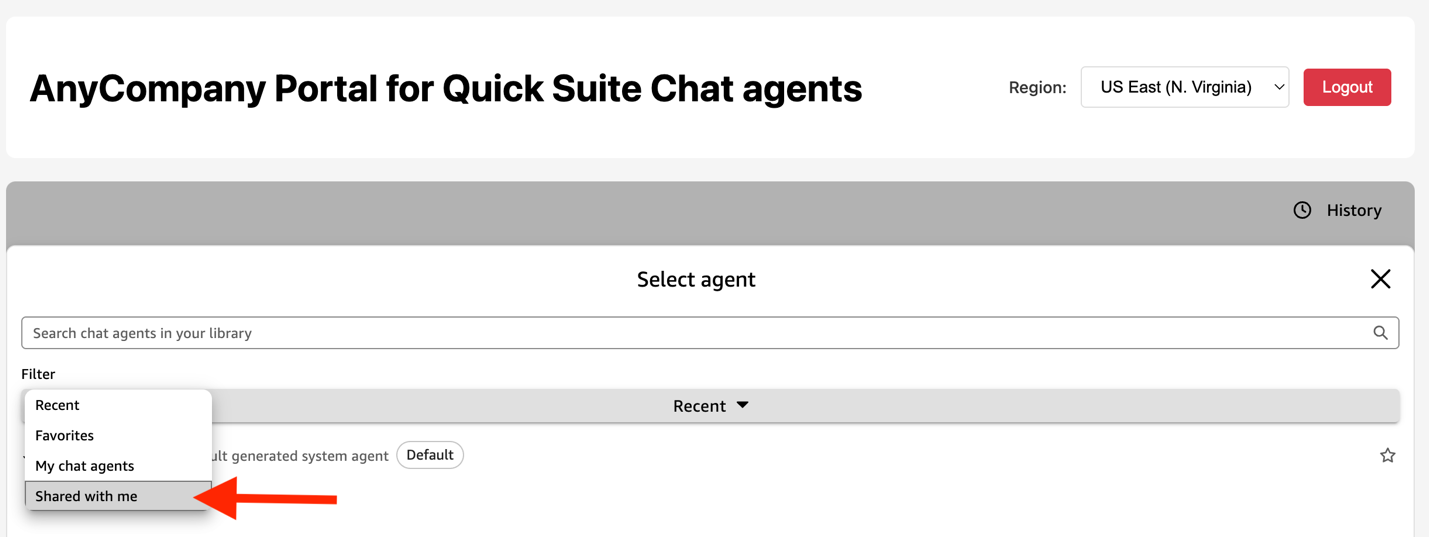
- Choose the agent you want and start chatting.
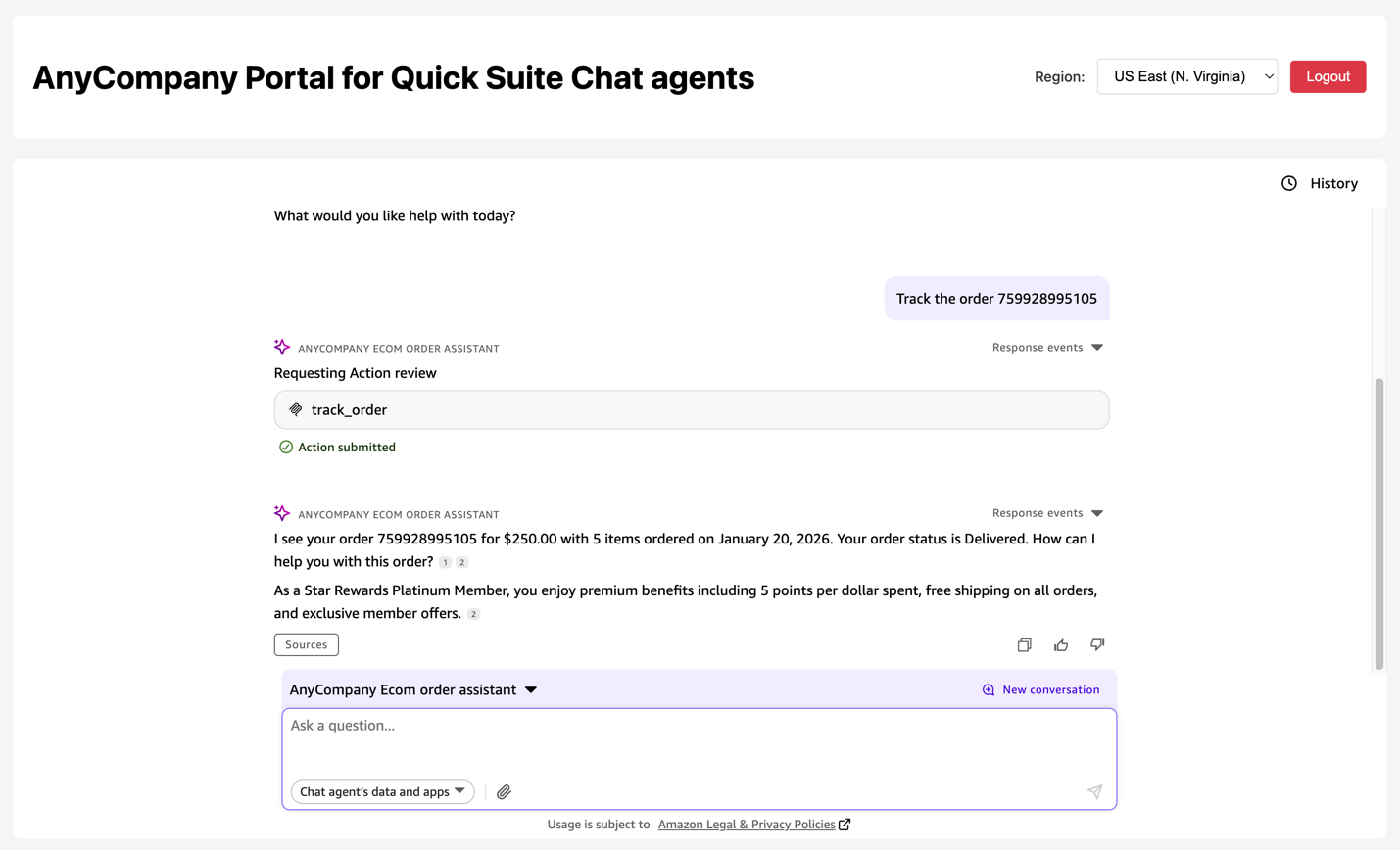
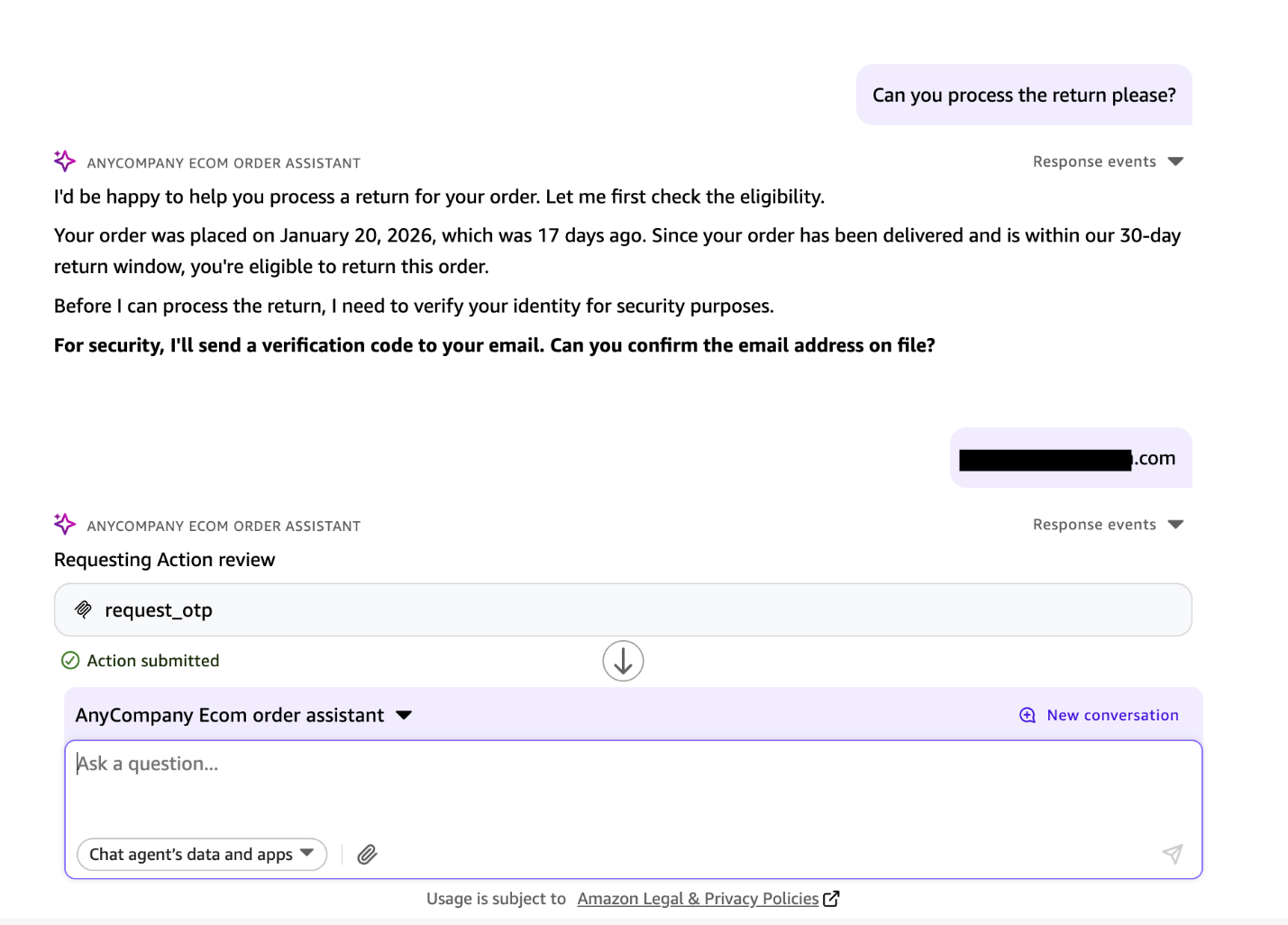
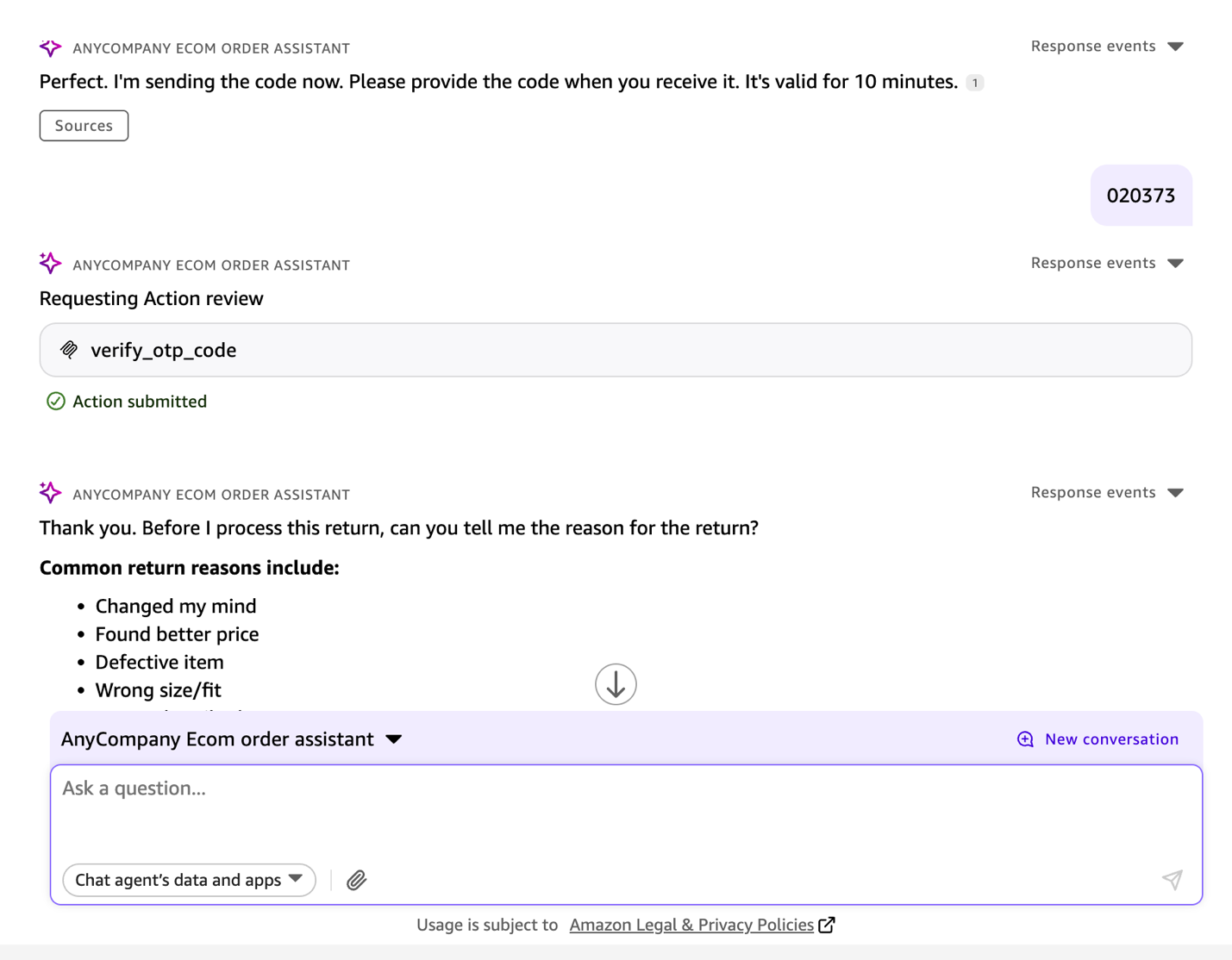
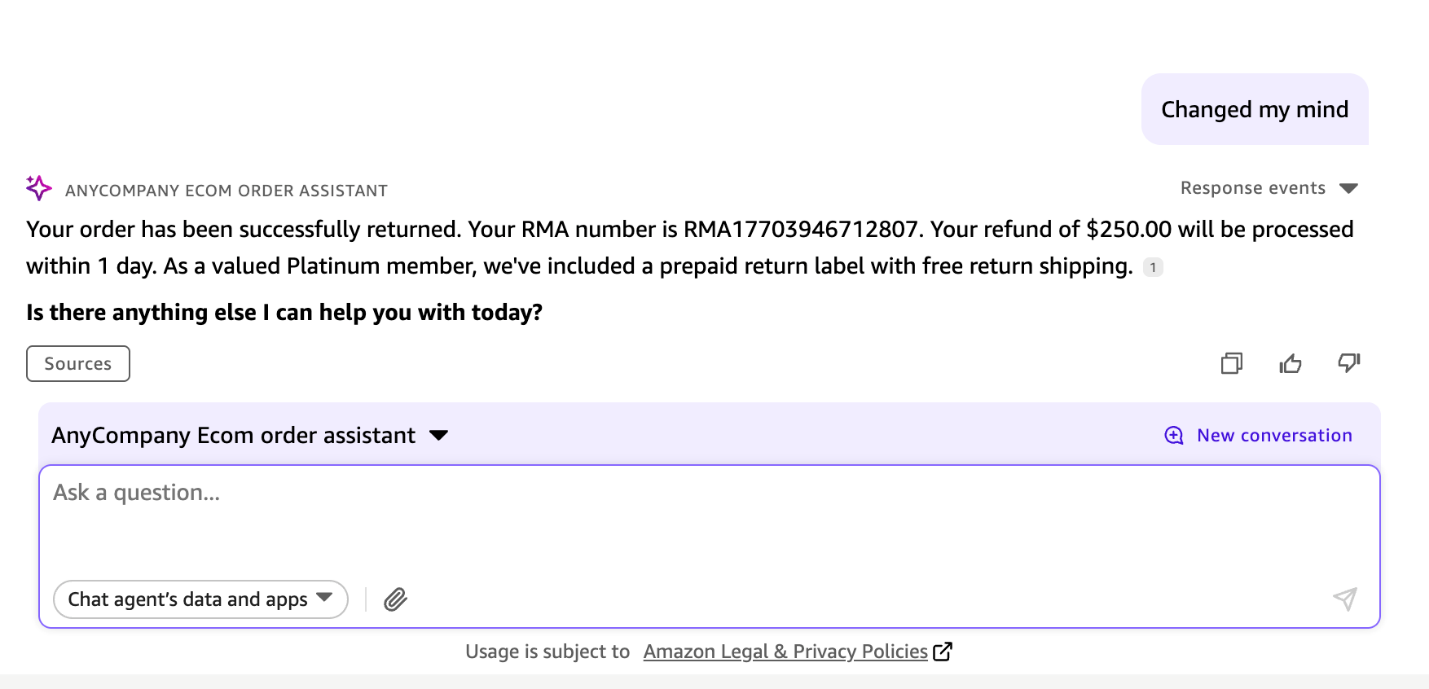
The following screenshots show chat interactions of a customer service representative tracking an example online order and processing its return as requested by a verified customer over the phone.
Clean up
To clean up your resources, delete the AWS resources deployed:
Conclusion
This solution addresses core challenges for embedding conversational AI at scale: securing authentication for thousands of concurrent users across global locations, maintaining enterprise-grade security with comprehensive audit trails, and simplifying deployment with automated infrastructure provisioning. You can customize the portal branding, adjust security policies, and integrate with existing identity providers. You can scale to thousands of concurrent users automatically while maintaining pay-as-you-go pricing.
To try this solution, clone the GitHub repository and deploy the complete infrastructure with one click to embed Quick Suite chat agents.
About the authors
 Satyanarayana Adimula is a Senior Builder in AWS Generative AI Innovation & Delivery. Leveraging over 20 years of data and analytics expertise, he specializes in building agentic AI systems that enable large enterprises to automate complex workflows, accelerate decision-making, and achieve measurable business outcomes.